




4.png)
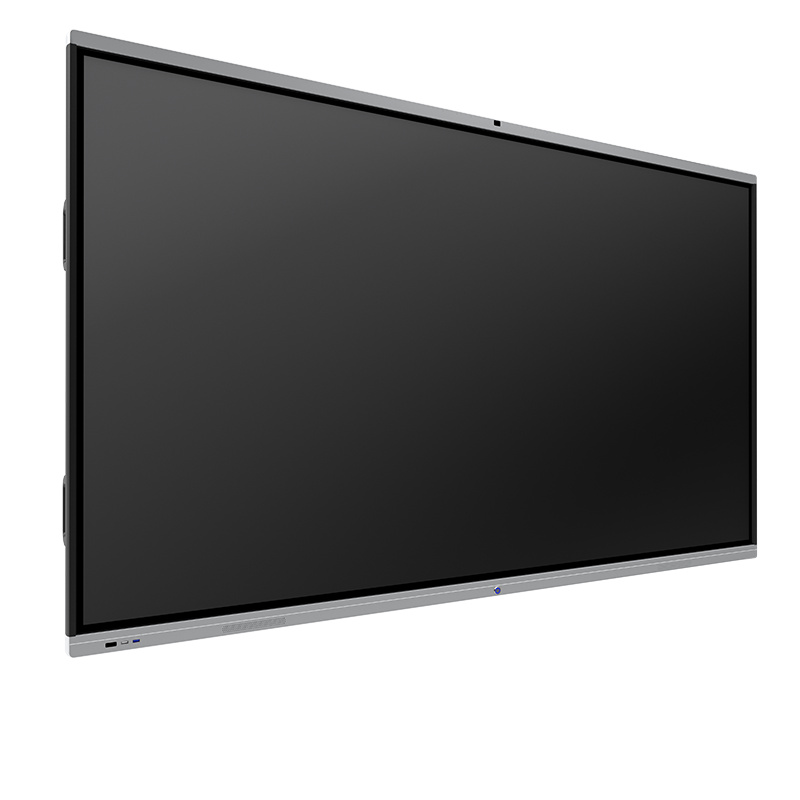
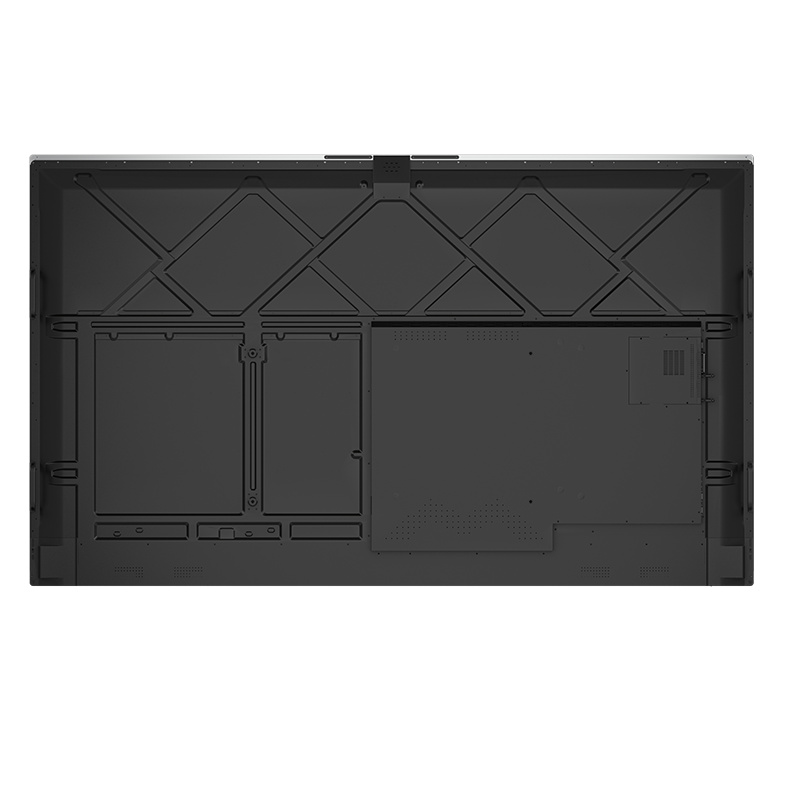

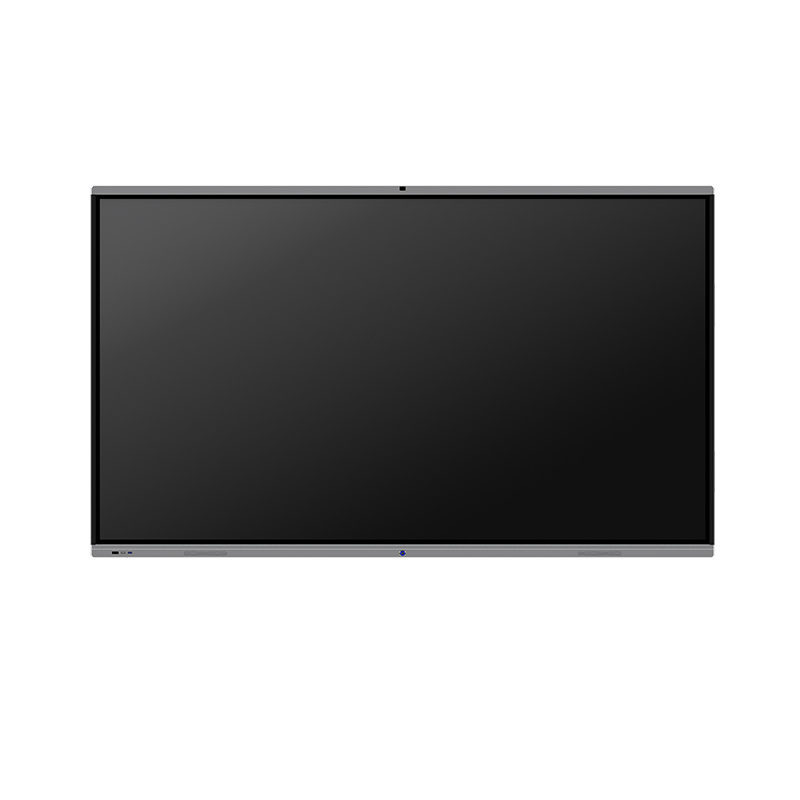
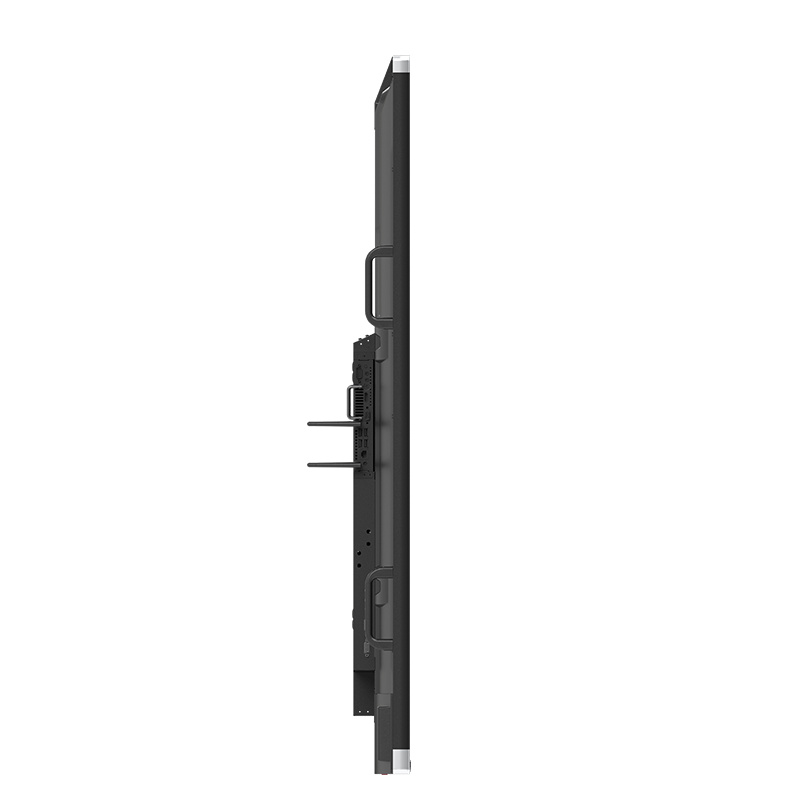
75-inch 4K Infrared Conference System with Android 11
Product Features
● System
Equipped with Android 11 smart operating system and a unique 4K UI design; 4K ultra-HD is available for all interfaces.
4-core 64-bit high-performance CPU, Cortex-A55 architecture; Maximum support clock 1.8GHz
● Appearance and Intelligent Touch:
Super narrow border design of 3 equal sides of 12mm; matte material appearance.
Front-removable high-precision IR touch frame; touch accuracy reaches ±2mm; realizes 20 points touch with high sensitivity
Equipped with an OPS interface and expandable to dual systems.
Equipped with a digital audio output; front speaker and common interfaces.
Supports all channels touch, touch channels automatically switch and gesture recognition.
Intelligent control; remote control integrated computer shortcuts; intelligent eye protection; one-touch switch on/off.
● Whiteboard Writing:
4K whiteboard with 4K ultra-HD resolution for handwriting and fine strokes.
High-performance writing software; supports single-point and multipoint writing; adds brushstroke writing effects; supports whiteboard insertion of images, adding pages, gesture board-eraser, zooming in /out, roaming, scanning for sharing, and annotation in any channel and interface.
Whiteboard pages have infinite zooming, unrestricted undo and restore steps.
● Conference:
Built-in efficient meeting software such as WPS and welcome interface.
Built-in 2.4G/5G dual-band, dual-network card; supports WIFI and hotspots simultaneously
Supports wireless shared screen and multi-channel screen casting; realizes mirroring and remote snapshot, video, music, document sharing, picture screenshots, wireless encrypted remote casting, etc.
Specification
| Display Parameters | |
| Effective display area | 1650.24*928.26 (mm) |
| Display ratio | 16:9 |
| Brightness | 300cd/㎡ |
| Contrast Ratio | 1200:1 (customization accepted) |
| Color | 10bit true color(16.7M) |
| Backlight Unit | DLED |
| Max. viewing angle | 178° |
| Resolution | 3840 * 2160 |
| Unit Parameters | |
| Video system | PAL/SECAM |
| Audio format | DK/BG/I |
| Audio output power | 2*10W |
| Overall power | ≤350W |
| Standby power | ≤0.5W |
| Life cycle | 30000 Hours |
| Input power | 100-240V, 50/60Hz |
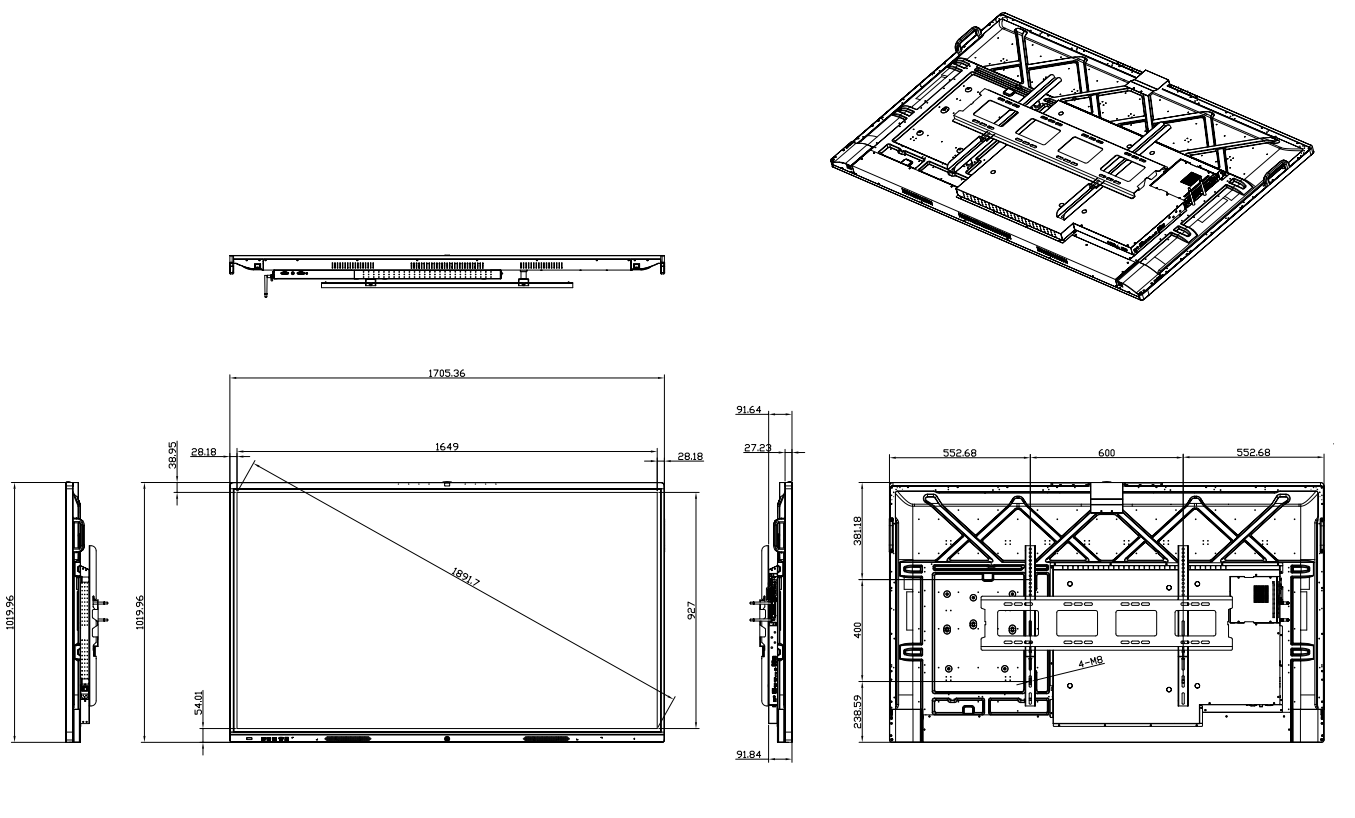
| Unit size | 1707.16(L)*1012.72(H)*92.0(W)mm |
| 1707.16(L)*1012.72(H)*126.6(W)mm(with brackets) | |
| Packaging size | 1847(L)*1185(H)*205(W)mm |
| Net weight | 52kg |
| Gross weight | 66kg |
| Working condition | Temp:0℃~50℃;Humidity:10%RH~80%RH; |
| Storage environment | Temp:-20℃~60℃;Humidity:10%RH~90%RH; |
| Input ports | Front ports:USB2.0*1;USB3.0*1;HDMI*1;USB Touch*1 |
| Rear ports:HDMI*2,USB*2,RS232*1,RJ45*1,
2 *Earphone terminals(black)
|
|
| Output ports | 1 Earphone terminal ;1*RCA connector;
1 *Earphone terminals(black) |
| WIFI | 2.4+5G, |
| Bluetooth | Compatible with 2.4G+5G+bluetooth |
| Android System Parameters | |
| CPU | Quad-core Cortex-A55 |
| GPU | ARM Mali-G52 MP2 (2EE),Main frequency reaches 1.8G |
| RAM | 4G |
| FLASH | 32G |
| Android version | Andriod11.0 |
| OSD language | Chinese/English |
| OPS PC Parameters | |
| CPU | I3/I5/I7 optional |
| RAM | 4G/8G/16G optional |
| Solid State Drives(SSD) | 128G/256G/512G optional |
| Operating system | window7 /window10 optional |
| Interface | Subjects to mainboard specs |
| WIFI | Supports 802.11 b/g/n |
| Touch Frame Parameters | |
| Type of sensing | IR recognition |
| Mounting method | Removable from the front with built-in IR |
| Sensing tool | Finger, writing pen, or other non-transparent object ≥ Ø8mm |
| Resolution | 32767*32767 |
| Communication Interface | USB 2.0 |
| Response time | ≤8 MS |
| Accuracy | ≤±2mm |
| Light resistance strength | 88K LUX |
| Touch points | 20 touch points |
| Number of touches | >60 million times in the same position |
| Supported system | WIN7, WIN8, WIN10, LINUX ,Android ,MAC |
| Camera Parameters | |
| Pixel | 800W;1200W;4800W optional |
| Image sensor | 1/2.8 inch CMOS |
| Lens | Fixed focal length lens, Effective focal length 4.11mm |
| Angle of View | Horizontal view 68.6°, Diagonal 76.1° |
| Main camera focus method | Fixed focus |
| Video output | MJPG YUY2 |
| Max. frame rate | 30 |
| Drive | Drive-free |
| Resolution | 3840 * 2160 |
| Microphone Parameters | |
| Type of microphone | Array microphone |
| Microphone array | 6 arrays;8 arrays optional |
| Responsiveness | 38db |
| Signal-to-noise ratio | 63db |
| Pickup distance | 8m |
| Sampling bits | 16/24bit |
| Sampling rate | 16kHz-48kHz |
| Drive | win10 drive-free |
| Echo cancellation | Supported |
| Accessories | |
| Remote controller | Qty:1pc |
| Power cable | Qty:1 pc, 1.8m (L) |
| Writing pen | Qty:1pc |
| Warranty card | Qty:1set |
| Certificate of Conformity | Qty:1set |
| Wall mount | Qty:1set |
Product Structure Diagram
FAQ
Answer: Touch screen displays are widely used in applications such as point-of-sale systems, interactive kiosks, digital signage, industrial control panels, medical devices, and consumer electronics.
Answer: Yes, many touch screen displays support multi-touch gestures, allowing users to perform actions like zooming, rotating, and swiping with multiple fingers simultaneously.
Answer: Touch screen displays enable interactive product browsing, personalized recommendations, and easy navigation, enhancing customer engagement and providing a more immersive shopping experience.
Answer: Some touch screen displays are designed with water-resistant or waterproof features, making them resistant to water or liquid spills. It's important to choose displays with appropriate IP ratings for the intended environment.
Answer: A touch screen refers to a display panel with built-in touch sensing capabilities, while a touch overlay is a separate device that can be added to a standard display to enable touch functionality.
Here are some important considerations for the daily use of touch products
● Cleaning: Regularly clean the touch screen to remove fingerprints, smudges, and dust. Use a soft, lint-free cleaning cloth or specialized touch screen cleaner. Avoid using abrasive or harsh substances.
● Touching method: Use your fingers or compatible touch pens for touch operations. Avoid using sharp objects or applying excessive force on the screen to prevent damage to the touch panel.
● Avoid overexposure: Avoid prolonged exposure of the touch screen to direct sunlight, as it may affect the display performance or cause overheating issues.
● Protective measures: In industrial or harsh environments, consider installing protective films, covers, or waterproof casings to enhance the durability and resistance to dirt of the touch screen.
● Avoid liquid contact: Prevent liquids from splashing onto the touch screen to avoid damaging the electronic components. Avoid placing liquid containers directly on the touch screen during use.
● Electrostatic discharge (ESD) precautions: For touch screens sensitive to static electricity, take appropriate ESD measures such as using anti-static cleaners and grounding devices.
● Follow operating guidelines: Adhere to the operation guidelines and user manuals provided for the touch product. Use and operate the touch features correctly to avoid accidental actions or unnecessary damage.
3.png)
5.png)
1.png)